
Reliable home internet has become essential for everyday life. People use internet connections for streaming movies, attending online meetings, studying, gaming, shopping, managing businesses, and staying connected with family and friends. If you are looking for an affordable internet option without a traditional cable connection, Metro PCS home internet may be worth considering.
MetroPCS is now known as Metro by T-Mobile, and its home internet service uses T-Mobile’s 5G cellular network. Instead of requiring a traditional cable or fiber connection, the service uses a wireless gateway to receive a 5G signal and distribute Wi-Fi throughout your home.
Metro’s home internet offering is designed for customers who want prepaid service, straightforward setup, and no annual contract. However, availability depends on your address and local network capacity. Customers also need an eligible Metro voice plan.
In this guide, we explain how Metro PCS home internet works, how much it costs, what speeds you can expect, what equipment you need, and how to decide whether it is suitable for your household.
What Is Metro PCS Home Internet?
Metro PCS home internet is a wireless broadband service offered by Metro by T-Mobile. It provides internet access through T-Mobile’s cellular network rather than a traditional cable or fiber connection.
The service is commonly described as Metro 5G Home Internet or 5G Prepaid Internet for Metro by T-Mobile.
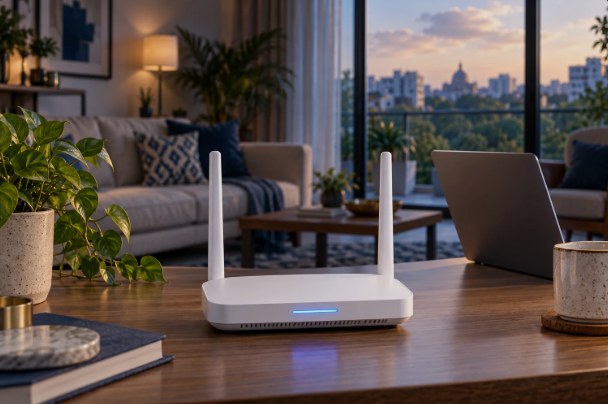
A small wireless gateway receives a 5G signal from a nearby cellular tower. The gateway then creates a Wi-Fi network that connects your home devices to the internet.
You can use the connection for activities such as:
- Browsing websites
- Streaming movies and television
- Attending video meetings
- Online learning
- Downloading files
- Using social media
- Playing many online games
- Connecting smartphones, tablets, laptops, and smart televisions
Unlike traditional broadband installation, Metro’s wireless home internet does not normally require a technician to install a cable at your property. You purchase the required gateway, activate the service at an eligible address, and set up the device.
How Does Metro PCS Home Internet Work?
Metro home internet uses a 5G cellular connection to deliver broadband service to your home.
The process is relatively simple.
1. The Gateway Receives a 5G Signal
Metro provides a compatible internet gateway. This device communicates with T-Mobile’s cellular network using a supported wireless connection.
The quality of the signal depends on factors such as your location, distance from cellular infrastructure, building materials, network congestion, and local coverage.
2. The Gateway Creates a Wi-Fi Network
The gateway works as both a modem and a router. It receives the cellular internet connection and distributes it wirelessly to devices in your home.
You do not generally need a separate modem and router for the basic setup.
3. Your Devices Connect to Wi-Fi
Once the gateway is activated, connect your laptop, smartphone, tablet, smart television, or other compatible devices to its Wi-Fi network.
You can then use the internet just as you would with many traditional home broadband services.
4. Internet Data Travels Through the Cellular Network
When you open a website, stream a video, or join a video call, your data travels through the gateway and T-Mobile’s cellular network.
Because the service relies on wireless network conditions, speeds can change depending on signal strength and network activity.
Metro PCS Home Internet Plans and Pricing
Metro by T-Mobile offers prepaid 5G home internet with pricing that can depend on the promotion, account eligibility, AutoPay enrollment, and whether you already have a qualifying Metro phone plan.
The official Metro home internet page currently lists a standalone home internet offer at $45 per month with AutoPay for qualifying existing Metro voice customers.
Here is a simplified overview of the published offer:
| Plan detail | Published offer |
|---|---|
| Monthly price with AutoPay | $45 |
| Monthly price without AutoPay | $50 |
| First month | $50 |
| Gateway purchase | $4.99 |
| Contract | No annual contract |
| Service type | Prepaid 5G home internet |
| Voice plan required | Yes |
| Availability | Address and network capacity dependent |
These prices are based on Metro’s published offer and may change. Confirm the price and eligibility requirements before purchasing.
Is There a Metro Phone Plan Requirement?
Yes. Metro home internet requires a Metro voice plan.
For the $45 monthly offer, Metro states that the existing Metro phone plan must generally have been active for at least 30 days. The household must also qualify based on local home internet availability.
Metro also advertises bundle promotions for customers bringing a phone number to a new qualifying voice line and adding home internet in the same transaction. Such offers can have different first-month prices, monthly charges, and gateway costs.
Do not assume that every customer qualifies for the same promotion.
Are Taxes and Fees Included?
Metro’s published home internet offer states that sales tax and regulatory fees are included in the monthly plan price. Check the final terms shown during enrollment because promotional conditions and equipment charges can differ.
Is There an Annual Contract?
Metro describes its home internet service as prepaid and does not require an annual service contract.
This can be useful if you do not want to commit to a long-term broadband agreement. Review the service terms and cancellation conditions before activating the connection.
What Internet Speeds Does Metro PCS Home Internet Offer?
Internet speed is one of the most important considerations when selecting a home broadband service.
Metro reports typical download speeds between 87 Mbps and 318 Mbps for its 5G home internet customers. Typical upload speeds are between 14 Mbps and 56 Mbps.
The company also states that customers receive consistent broadband speeds of at least 25 Mbps, although actual performance can vary.
These are typical speed ranges, not guaranteed speeds for every address.
Your actual connection may be affected by:
- Distance from the cellular tower
- Indoor signal strength
- Network congestion
- Building materials
- Gateway placement
- Number of connected devices
- Local network conditions
- Time of day
Are Metro’s Speeds Good Enough for Streaming?
For many households, the advertised typical speed ranges can support everyday online activities.
For example, a connection may be suitable for:
- HD video streaming
- Web browsing
- Social media
- Online shopping
- Video conferencing
- Online classes
- Music streaming
Households with several people streaming high-resolution video or downloading large files at the same time may need to pay closer attention to actual performance.
Is Metro Home Internet Good for Gaming?
Metro’s 5G home internet may support many online games, but download speed is not the only factor that matters.
Online gaming also depends on latency, jitter, packet loss, and connection stability.
A wireless cellular connection can experience changing network conditions. If you play competitive multiplayer games, test the service at your address before relying on it as your primary connection.
Does Metro PCS Home Internet Have Unlimited Data?
Metro advertises its home internet plan as unlimited, meaning it does not have a traditional fixed monthly data allowance that automatically ends your service when you reach a set amount.
However, there is an important network-management condition.
Metro states that customers who use more than 1.2 TB of data in a month may experience reduced speeds until the next billing cycle because of data prioritization. Customers are notified when they approach that usage level.
This means unlimited data should not be confused with unlimited access to the same priority or speed under every network condition.
If your household regularly streams high-resolution video, downloads large games, backs up files, or uses multiple connected devices, consider your monthly data habits.
Metro PCS Home Internet Coverage and Availability
Metro home internet is not available at every address.
Although the service uses T-Mobile’s 5G network, home internet eligibility depends on local network capacity. A location may have cellular coverage but still not qualify for home internet service.
Metro evaluates eligibility at the household level. Availability can change as network capacity expands or as more customers sign up in an area.
How to Check Metro Home Internet Availability
Follow these steps:
- Visit the official Metro home internet eligibility page.
- Enter the requested phone number and home address.
- Submit the information to check eligibility.
- Review whether home internet is available for your household.
- If eligible, follow the instructions for purchasing and activating service.
Official availability checker:
You can also visit a Metro by T-Mobile store for assistance.
Why Is Metro Home Internet Not Available at My Address?
There are several possible reasons:
- Your location may not have sufficient 5G network capacity.
- The local network may already be serving the maximum number of home internet customers.
- Your address may not qualify under Metro’s household eligibility rules.
- Service availability may not yet have expanded to your neighborhood.
If your address is not eligible today, you can check again later because network capacity and availability can change.
What Equipment Do You Need?
Metro home internet requires a compatible 5G internet gateway.
The gateway combines two important functions:
Modem: Receives the internet connection from the cellular network.
Router: Creates a Wi-Fi network for your devices.
Metro’s published offer lists a one-time gateway purchase rather than a monthly equipment rental. The device is intended for use with the Metro home internet service and cannot be unlocked for use on other networks.
Do You Need a Technician?
Typically, no technician visit is needed for standard setup.
The wireless gateway is designed to make installation straightforward. You need a suitable location with a usable cellular signal, access to a power outlet, and compatible devices.
Can You Use Your Own Router?
The supplied gateway already includes Wi-Fi functionality. Some customers may want to use additional networking equipment to improve coverage in larger homes.
Before connecting a separate router or mesh system, check the gateway’s supported networking options and setup instructions. Do not assume that every third-party router will work in every configuration.
How to Set Up Metro PCS Home Internet
Setting up Metro home internet is generally easier than arranging a traditional wired broadband installation.
Step 1: Confirm Your Address Is Eligible
Use Metro’s online availability checker to confirm that your household qualifies.
Do not purchase equipment until you have verified availability and the current offer.
Step 2: Purchase the Gateway
If eligible, follow Metro’s instructions to purchase the compatible gateway. Confirm the equipment price and return conditions.
Step 3: Choose a Good Location
Place the gateway in an open area where it can receive a strong cellular signal.
For better performance:
- Place it near a window if that improves reception.
- Keep it away from large metal objects.
- Avoid enclosed cabinets.
- Keep it elevated when practical.
- Try different locations if the signal is weak.
Step 4: Connect the Power
Plug the gateway into a suitable power outlet and follow the included activation instructions.
Allow the device to complete its startup process.
Step 5: Connect Your Devices
Use the Wi-Fi name and password provided with the gateway or displayed according to its setup instructions.
Connect your smartphone, laptop, television, and other devices.
Step 6: Test Your Connection
Open a speed-test website and measure download speed, upload speed, and latency.
If performance is lower than expected, try moving the gateway to a different location and testing again.
Advantages of Metro PCS Home Internet
Metro home internet offers several benefits for eligible households.
1. No Traditional Cable Installation
Because the service uses a cellular network, you generally do not need a cable or fiber line installed at your property.
This can be convenient for renters and households that want a simpler setup.
2. Prepaid Service
Prepaid pricing can make it easier to understand monthly service costs.
Customers can avoid committing to a traditional annual service agreement.
3. Competitive Monthly Pricing
Metro’s published $45 monthly AutoPay offer may be attractive to qualifying existing Metro voice customers.
The overall value depends on your eligibility, equipment cost, local performance, and alternative internet options.
4. Simple Equipment Setup
The gateway combines modem and router functions, reducing the need for separate networking equipment.
5. Useful Everyday Speeds
Metro’s published typical speed ranges may be sufficient for browsing, streaming, video meetings, and many household activities.
6. No Traditional Fixed Data Cap
The service is advertised as unlimited, although network management and data prioritization conditions apply.
Disadvantages of Metro PCS Home Internet
Before signing up, it is important to understand the possible limitations.
1. Limited Address Availability
Not every household can subscribe. Availability depends on network capacity and address eligibility.
2. Speeds Can Change
Unlike some wired connections, cellular internet performance can fluctuate with signal conditions and network traffic.
3. Data Prioritization
Customers using more than 1.2 TB in a month may experience reduced speeds until the next billing cycle.
4. Metro Voice Plan Requirement
You need a qualifying Metro voice plan to subscribe. This may not suit people who do not want Metro mobile service.
5. Location Restrictions
Metro states that the home internet service is available only at the address provided for activation. It is designed as home internet, not as a portable connection to use wherever you travel.
6. Some Live TV Services May Not Be Compatible
Metro notes that its home internet service is not compatible with some live TV streaming services. If you rely on a particular television platform, verify compatibility before subscribing.
Metro PCS Home Internet vs. Traditional Cable Internet
Metro’s wireless home internet and traditional cable internet use different technologies.
| Feature | Metro 5G Home Internet | Traditional cable internet |
|---|---|---|
| Connection | Cellular 5G | Coaxial cable |
| Installation | Usually self-setup | May require installation |
| Availability | Depends on 5G capacity | Depends on cable infrastructure |
| Performance | Can vary with cellular conditions | Often more consistent |
| Equipment | 5G gateway | Cable modem and router or gateway |
| Contract | Prepaid, no annual contract | Depends on provider and plan |
| Best suited for | Eligible homes seeking wireless broadband | Homes with reliable cable infrastructure |
Neither option is automatically better for every household.
Cable internet may offer more consistent performance in some locations. Metro 5G home internet may be attractive when a household wants a wireless alternative or does not have convenient access to wired broadband.
Compare actual local speeds, prices, equipment charges, and service terms before choosing.
Metro PCS Home Internet vs. T-Mobile Home Internet
Metro by T-Mobile and T-Mobile are related brands, and both offer home internet services that use T-Mobile’s cellular network.
However, their plans, eligibility requirements, pricing, equipment terms, and customer benefits can differ.
Metro’s home internet offering is positioned as a prepaid option for Metro customers and requires a Metro voice plan.
T-Mobile’s home internet plans have their own eligibility rules and pricing structure.
If you are comparing the two, review:
- Monthly service price
- Whether a voice plan is required
- Gateway cost
- Typical download and upload speeds
- Network availability
- Data prioritization terms
- Return or trial conditions
- Customer support options
Do not assume that a Metro plan and a T-Mobile-branded plan have identical terms simply because they use the same underlying cellular network.
Is Metro PCS Home Internet Worth It?
Metro home internet may be worth considering if you meet the eligibility requirements and want prepaid wireless broadband.
It can be a practical choice for:
- Existing Metro phone customers
- Renters who prefer to avoid cable installation
- Small households with everyday internet needs
- People seeking an alternative to traditional broadband
- Customers who want a prepaid monthly service
However, it may not be the best choice for every household.
If you need highly consistent speeds for demanding work, competitive gaming, large file transfers, or extensive live television streaming, compare it with available cable and fiber services.
The best way to decide is to confirm availability, review the full monthly cost, and test performance during the return period if you purchase the service.
Frequently Asked Questions About Metro PCS Home Internet
1. Is Metro PCS home internet the same as Metro by T-Mobile home internet?
Yes. MetroPCS is now known as Metro by T-Mobile. Its home internet service is offered as Metro 5G Home Internet and uses T-Mobile’s cellular network.
2. How much does Metro PCS home internet cost?
Metro’s published offer lists $45 per month with AutoPay for qualifying existing Metro voice customers, or $50 without AutoPay. The first month is listed at $50, and the gateway is sold separately. Confirm current pricing and eligibility before subscribing.
3. Does Metro home internet require a phone plan?
Yes. Metro states that a Metro voice plan is required for its prepaid home internet service. Some offers also require the voice plan to have been active for a specified period.
4. Is Metro home internet unlimited?
Metro advertises unlimited home internet data. However, customers using more than 1.2 TB in a month may experience reduced speeds until the next billing cycle due to data prioritization.
5. What speeds can I expect?
Metro reports typical download speeds of 87–318 Mbps and typical upload speeds of 14–56 Mbps. Actual speeds depend on network conditions, signal quality, and location.
6. Does Metro home internet need a technician?
Standard setup generally does not require a technician visit. You use the compatible gateway and follow the activation instructions.
7. Can I use Metro home internet anywhere?
No. Metro states that the service is available only at the address provided during activation. It is intended for home use.
8. Can I return the Metro internet gateway?
Metro’s published home internet information describes a 14-day gateway return window. Check the current return policy and purchase terms. Service charges are not refundable under the published policy.
9. Does Metro home internet work for gaming?
It can work for many online games, but gaming performance depends on latency, jitter, packet loss, and network stability in addition to download speed. Test the connection at your address before relying on it for competitive gaming.
10. How do I check whether Metro home internet is available?
Visit the official Metro eligibility checker at and enter the requested details.
Final Thoughts
Metro PCS home internet, now offered under the Metro by T-Mobile name, provides a wireless alternative to traditional cable and fiber broadband. It uses T-Mobile’s 5G network and a compatible gateway to deliver Wi-Fi to connected devices in your home.
Its prepaid structure, relatively straightforward setup, and published $45 monthly AutoPay offer can make it appealing to eligible Metro customers. The service also reports typical download speeds of 87–318 Mbps, which may be sufficient for many everyday internet activities.
However, availability is limited by household-level network capacity, a Metro voice plan is required, and actual speeds can vary. Customers should also understand the 1.2 TB data-prioritization condition and the address-specific nature of the service.
Before subscribing, check your address, verify the current monthly price, review the equipment and return terms, and compare Metro with other broadband options in your area. This will help you decide whether Metro 5G Home Internet is the right choice for your household.


