

Choosing the right 22×26 lcd screen can be confusing because display measurements, screen sizes, aspect ratios, and panel specifications are often described differently by manufacturers and sellers. A display described as 22 inches, 26 inches, or with dimensions such as 22 by 26 may refer to different physical measurements. Understanding what the dimensions mean is therefore important before purchasing or installing an LCD display.
LCD technology remains widely used in monitors, information displays, industrial equipment, kiosks, point-of-sale systems, entertainment devices, and specialized electronics. Modern LCD panels can offer sharp images, good brightness, wide viewing angles, and multiple connectivity options. The right choice depends on the intended application, available space, resolution requirements, and mounting arrangement.
Understanding LCD Screen Measurements
One of the first things to understand is that screen dimensions can be described in several ways. A manufacturer may provide the diagonal screen size, physical width and height, or the overall dimensions of the device including its frame and stand.
For example, a display advertised as a 22-inch monitor generally refers to the diagonal measurement of the visible screen rather than its width. A 26-inch display similarly refers to its diagonal measurement.
A measurement written as 22 x 26 may instead represent the physical dimensions of a device, enclosure, panel, or installation area. It should not automatically be interpreted as a 22-inch-wide by 26-inch-high display.
Always check the manufacturer’s technical specification before purchasing a screen for a particular enclosure or mounting location.
Common Characteristics of LCD Displays
LCD screens use liquid crystal technology combined with a backlight to create images. Modern LCD displays are available in several panel technologies, resolutions, brightness levels, and sizes.
The most important specifications generally include:
- Screen size
- Resolution
- Aspect ratio
- Panel type
- Brightness
- Contrast
- Refresh rate
- Response time
- Viewing angle
- Connectivity
- Mounting compatibility
- Power requirements
These specifications affect how the display looks and how well it performs in different environments.
Resolution and Image Quality
Resolution determines how many pixels are used to create the image. Higher resolutions can provide greater detail, especially when viewing text, photographs, video, or technical information.
Full HD resolution of 1920 x 1080 is common in many modern displays. Some specialized monitors provide higher resolutions such as 2560 x 1440 or 3840 x 2160.
A smaller screen with a high resolution can produce a sharp image because more pixels are concentrated into a relatively small viewing area. However, resolution should be selected according to the application rather than simply choosing the highest available specification.
For office work, Full HD may be sufficient. Designers, photographers, engineers, video editors, and other professionals may benefit from higher resolutions.
Panel Technology

Different LCD panel technologies have different characteristics. The three commonly discussed categories are IPS, VA, and TN.
IPS panels are widely appreciated for their viewing angles and color consistency. They can be useful for design, photography, office work, and situations where several people may view the display.
VA panels generally provide strong contrast and can be suitable for entertainment and multimedia applications.
TN panels have historically been associated with fast response times and lower costs. They can still be useful in applications where response speed and affordability are more important than viewing angles or color accuracy.
Comparison of Common Panel Types
| Panel Type | Typical Strength | Suitable Applications |
|---|---|---|
| IPS | Wide viewing angles and consistent colors | Office work, design, multimedia |
| VA | Strong contrast | Movies, general computing, entertainment |
| TN | Fast response and affordability | Gaming, basic computing, budget systems |
Panel quality can vary between individual models, so the panel type should not be the only factor considered.
Brightness and Viewing Environment
Brightness becomes particularly important when a display is used in a brightly lit room, shop, workshop, vehicle, or industrial environment.
A display with insufficient brightness may appear difficult to read when exposed to strong ambient light. On the other hand, extremely high brightness may not be necessary for a typical home office.
For indoor office use, moderate brightness is generally adequate. Commercial and industrial installations may require brighter panels depending on the surrounding lighting conditions.
Anti-glare coatings can also improve usability by reducing reflections from windows, overhead lighting, and other light sources.
Choosing the Right Screen Size
The physical space available should be measured before buying a display. Measure the width, height, and depth of the installation area.
Do not assume that a screen’s advertised diagonal size tells you everything about its physical dimensions. The frame, stand, mounting brackets, cables, and ventilation requirements can all increase the total space required.
If the screen will be installed inside a cabinet or custom enclosure, compare the exact panel dimensions with the available opening.
Connectivity Options
Connectivity determines which computers, media devices, cameras, or other equipment can be connected to the display.
Common connections include HDMI, DisplayPort, USB-C, VGA, and DVI. Older equipment may still use VGA or DVI, while newer computers increasingly rely on HDMI, DisplayPort, and USB-C.
Before purchasing a monitor, check both the input ports on the display and the output ports on the source device.
Common Display Connections
| Connection | Common Use | Important Consideration |
|---|---|---|
| HDMI | Computers, consoles, media players | Widely supported |
| DisplayPort | Desktop computers and professional systems | Useful for high-resolution displays |
| USB-C | Laptops and modern devices | May support video and power |
| VGA | Older computers and equipment | Analog connection |
| DVI | Older digital video equipment | Less common on newer devices |
Adapters can sometimes solve compatibility problems, but a direct connection is generally preferable when possible.
Touchscreen Applications
Some LCD displays include touchscreen functionality. Touchscreen models can be useful for kiosks, retail systems, industrial controls, information terminals, medical equipment, and interactive applications.
Capacitive touch technology is common in modern interactive displays because it supports touch gestures and provides a familiar user experience.
If a touchscreen is being considered, check the number of supported touch points, operating-system compatibility, surface durability, brightness, and connection requirements.
A standard non-touch monitor may be a better choice when touch functionality is unnecessary because it can reduce cost and simplify installation.
Mounting and Installation
Mounting requirements should be considered before selecting a display. Some monitors are designed for desktop use, while others support wall mounting, monitor arms, kiosk installations, or custom brackets.
VESA mounting compatibility is especially useful for professional installations. Common mounting patterns vary, so the exact pattern and screw specifications should be checked.
For enclosed installations, ventilation is also important. Electronic displays generate heat during operation, and insufficient airflow can negatively affect reliability.
Commercial and Industrial Uses
LCD screens are not limited to personal computers. They are also used in commercial and industrial environments.
Potential applications include:
- Point-of-sale terminals
- Digital signage
- Security monitoring
- Factory control panels
- Information kiosks
- Medical equipment
- Transportation systems
- Educational displays
- Retail systems
- Arcade and entertainment equipment
Commercial applications may require more durable construction than a standard home monitor.
When a screen is expected to operate for long periods, specifications such as operating temperature, panel lifespan, warranty, enclosure design, and serviceability become increasingly important.
LCD Screens for Office Productivity
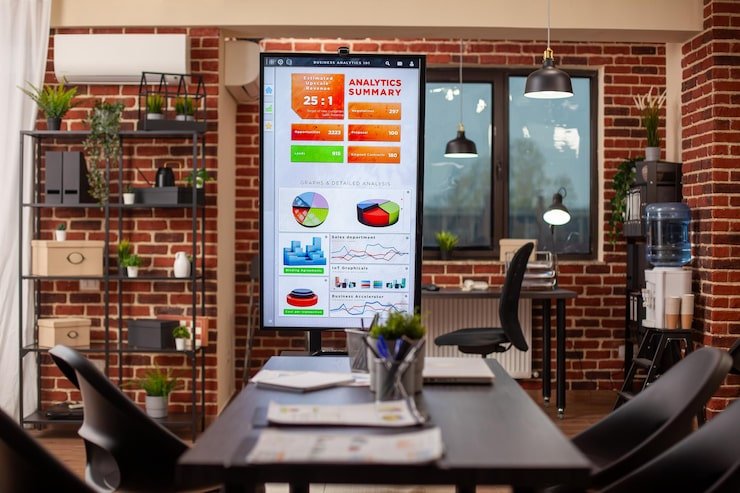
For office work, screen clarity and ergonomic positioning are especially important.
A suitable display can make it easier to work with documents, spreadsheets, browsers, accounting software, and communication applications. A larger working area can also make multitasking more convenient.
If the display supports multiple inputs, it may be possible to connect more than one computer or source device. Some monitors also provide features such as picture-by-picture or picture-in-picture functionality.
An adjustable stand can further improve comfort by allowing the user to change the height and viewing angle.
LCD Screens for Gaming
Gaming places additional demands on displays. Refresh rate and response time become particularly important for fast-moving games.
A higher refresh rate can make motion appear smoother when the computer or gaming system can produce enough frames per second. Features such as adaptive synchronization may also help reduce visible tearing.
However, gaming specifications should be considered alongside resolution, panel quality, graphics hardware, and connectivity.
A display with an extremely high refresh rate may provide little practical benefit if the source device cannot deliver a sufficiently high frame rate.
LCD Screens for Digital Signage
Digital signage applications require different considerations from ordinary desktop computing.
Brightness, viewing angles, operating duration, mounting options, and durability can all matter. Displays used in stores, restaurants, offices, transportation facilities, or public areas may need to remain visible from different positions.
If the screen is going to operate continuously, confirm that the model is designed for the intended duty cycle. A consumer monitor may not be appropriate for every commercial environment.
How to Compare Displays Before Buying
Instead of choosing a screen based only on price or advertised size, create a checklist of your actual requirements.
Start with the physical dimensions and available installation space. Then consider resolution, brightness, panel technology, viewing angle, connectivity, mounting, warranty, and power consumption.
If the display is being purchased for a specialized application, additional specifications may be necessary.
Practical Buying Checklist
| Feature | What to Check |
|---|---|
| Physical size | Width, height, depth, and bezel |
| Screen size | Diagonal visible display area |
| Resolution | Match to your content and device |
| Panel | IPS, VA, TN, or another technology |
| Brightness | Match to room or installation environment |
| Ports | HDMI, DisplayPort, USB-C, VGA, or DVI |
| Mounting | Stand, wall mount, VESA, or custom bracket |
| Touch | Determine whether interactive input is required |
| Warranty | Check coverage and service options |
| Power | Confirm electrical requirements |
Common Mistakes to Avoid
One common mistake is confusing diagonal screen size with physical width and height. Another is buying a display without checking whether its ports are compatible with the computer or equipment being used.
Ignoring the mounting system can also create problems during installation. A display may fit the available space but still require a different bracket or adapter.
Buyers should also avoid selecting a display solely because it has a higher resolution or refresh rate. These specifications are valuable only when they match the intended use.
For professional or commercial installations, warranty and long-term availability can be just as important as image quality.
Maintenance and Care
Proper maintenance can help keep an LCD display working reliably.
Use a soft, lint-free cloth when cleaning the screen. Avoid applying excessive pressure to the panel. Cleaning products should be appropriate for the display surface and should not be sprayed directly onto electronic components.
Keep ventilation openings clear and avoid placing the monitor in excessively hot or humid environments unless it is specifically designed for those conditions.
Cable management is also useful because loose or sharply bent cables can create connection problems over time.
Key Points to Remember
- Check whether the stated dimensions refer to the panel, screen, or complete device.
- Screen size is normally measured diagonally.
- Resolution affects image detail and clarity.
- IPS, VA, and TN panels have different characteristics.
- Brightness should match the intended environment.
- Confirm HDMI, DisplayPort, USB-C, VGA, or other connection requirements.
- Check VESA compatibility before purchasing a mounting system.
- Touchscreens are useful for interactive applications but are unnecessary for many users.
- Commercial installations may require additional durability and reliability.
- Always compare exact manufacturer specifications before installation.
Final Thoughts
Selecting the right LCD display requires more than looking at the advertised screen size. Physical dimensions, resolution, panel technology, brightness, connectivity, mounting compatibility, and intended use all contribute to the overall suitability of a display.
A display for a home office has different requirements from one used in a retail kiosk, industrial control system, gaming setup, or digital signage installation. Understanding these differences makes it easier to select a screen that fits both the available space and the technical requirements.
Before purchasing, measure the installation area carefully, identify the required connections, determine the desired image quality, and review the manufacturer’s complete specifications. Taking these steps can prevent compatibility problems and help ensure that the selected LCD display performs well for its intended purpose.
Frequently Asked Questions
What does an LCD screen measurement usually mean?
LCD screen size is commonly expressed as a diagonal measurement across the visible display area. Physical width and height are separate measurements and should be checked in the product specifications.
Is a higher resolution always better?
Not necessarily. Higher resolution can provide more detail, but the benefit depends on screen size, viewing distance, source content, and the capabilities of the connected device.
Which LCD panel type is best for general use?
IPS is often suitable for general productivity because of its viewing angles and consistent image reproduction. However, VA and TN panels can also be appropriate depending on the application and budget.
Can an LCD monitor be mounted on a wall?
Many monitors can be wall-mounted if they support a compatible VESA mounting pattern or another manufacturer-approved mounting system. Always verify the mounting specifications before purchasing a bracket.
What should I check before buying an LCD display?
Check the exact physical dimensions, diagonal screen size, resolution, panel type, brightness, refresh rate, ports, mounting compatibility, power requirements, warranty, and intended operating environment.


